
Introduction
If you work in home remodeling, interior design, or residential construction, you already know how chaotic managing leads, clients, and projects can get. Between estimates, follow-ups, schedules, and payments, it’s easy to lose momentum—and money. That’s exactly where Houzz Pro enters the picture, promising to streamline the business side of creative and trade-based work.
At its core, <strong>houzz pro</strong> is positioned as an all-in-one platform for professionals who want fewer spreadsheets, fewer missed calls, and more paying clients. However, software promises are easy; real-world results are harder to deliver. That’s why understanding how this platform actually works matters before you invest time and budget into it.
In reality, choosing the wrong business software can slow growth instead of accelerating it. On the other hand, the right system can quietly transform how you win jobs, communicate with clients, and protect profit margins. This guide breaks everything down—features, pricing, strengths, limitations, and real-life use cases—so you can decide with confidence.


4
Table of Contents
What Is Houzz Pro and Who Is It For
Core Features That Define Houzz Pro
How Houzz Pro Works in Real Projects
Pricing Plans and Cost Breakdown
Pros, Cons, and Honest Limitations
Houzz Pro vs Other Contractor Software
Who Should Use Houzz Pro (and Who Shouldn’t)
Personal Background, Company Journey, and Market Impact
FAQ
Conclusion
What Is Houzz Pro and Who Is It For
Houzz Pro is a business management platform designed specifically for home service professionals. Unlike generic CRMs, it focuses on industries such as interior design, architecture, general contracting, remodeling, landscaping, and specialty trades.
The platform combines multiple tools into one ecosystem:
- Lead generation from the Houzz marketplace
- Client relationship management
- Estimates and proposals
- Project scheduling
- Invoicing and online payments
That said, <strong>houzz pro</strong> is not a casual tool. It’s built for professionals who handle multiple projects, want predictable lead flow, and care about presenting a polished brand image to clients.
Businesses That Benefit Most
Houzz Pro tends to perform best for:
- Small to mid-sized contractors
- Design studios with recurring clients
- Remodeling companies handling multiple jobs monthly
- Solo professionals ready to scale operations
However, if your business runs only one project every few months, the system may feel heavier than necessary.
Core Features That Define Houzz Pro
What separates houzz pro from standard project tools is its tight integration between marketing, sales, and operations. Instead of stitching together five apps, everything lives in one interface.
Lead Generation and Client Matching
One of the strongest selling points is built-in access to homeowners actively searching for professionals. Leads arrive with context—location, budget expectations, and project intent—making conversations more productive from the start.
Key advantages include:
- Verified homeowner inquiries
- Direct messaging inside the platform
- Visibility into client browsing behavior
This removes much of the guesswork that plagues cold outreach.
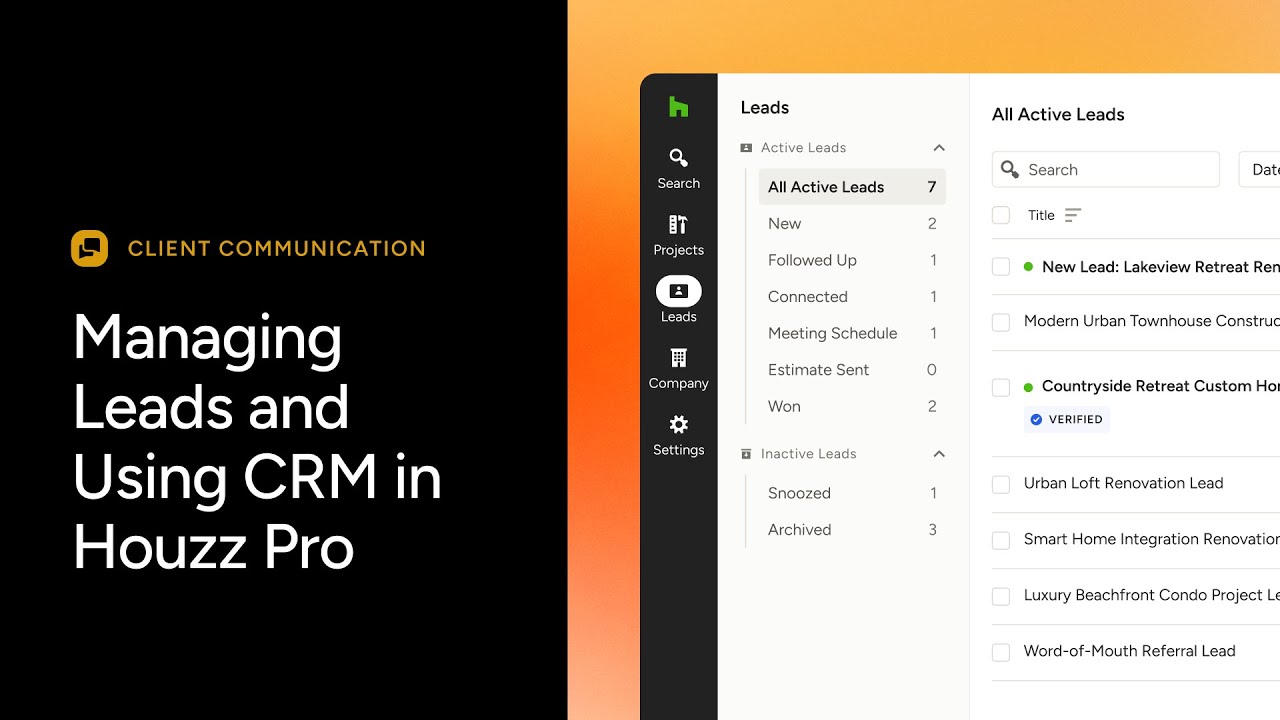
CRM and Client Communication
The CRM component tracks every interaction, from the first message to final payment. Conversations, documents, and notes stay linked to each project, reducing miscommunication.
Features include:
- Centralized client profiles
- Automated follow-ups
- File and photo sharing
In practice, this helps teams respond faster and appear more organized—something clients notice immediately.
Estimates, Proposals, and Contracts
Creating professional estimates is where many businesses lose time. Houzz Pro simplifies this process by allowing reusable templates, digital approvals, and instant revisions.
Professionals can:
- Build branded proposals
- Convert estimates into contracts
- Track approvals in real time
This alone can shorten sales cycles by days, sometimes weeks.
Project Management and Scheduling
Once a job starts, organization becomes critical. The platform offers task tracking, timelines, and internal notes that keep teams aligned.
Common uses include:
- Scheduling subcontractors
- Tracking milestones
- Assigning responsibilities
While not as complex as enterprise project tools, it’s more than sufficient for residential workflows.
Invoicing and Payments
Cash flow is a silent killer for service businesses. Houzz Pro addresses this by integrating invoicing with online payments.
Benefits include:
- Faster invoice delivery
- Multiple payment methods
- Automatic payment reminders
In reality, many users report improved payment speed simply because the process feels easier for clients.
How Houzz Pro Works in Real Projects
To understand <strong>houzz pro</strong>, it helps to visualize a real scenario.
A homeowner searches for a kitchen remodel professional. They submit an inquiry through Houzz. That lead appears instantly in your dashboard. You respond, schedule a consultation, and create an estimate—all inside the same system. Once approved, the estimate converts into a project with tasks, timelines, and invoices ready to go.
Instead of jumping between email, spreadsheets, and accounting software, everything flows in one direction. That continuity reduces errors and mental fatigue, especially when juggling multiple jobs.
Pricing Plans and Cost Breakdown
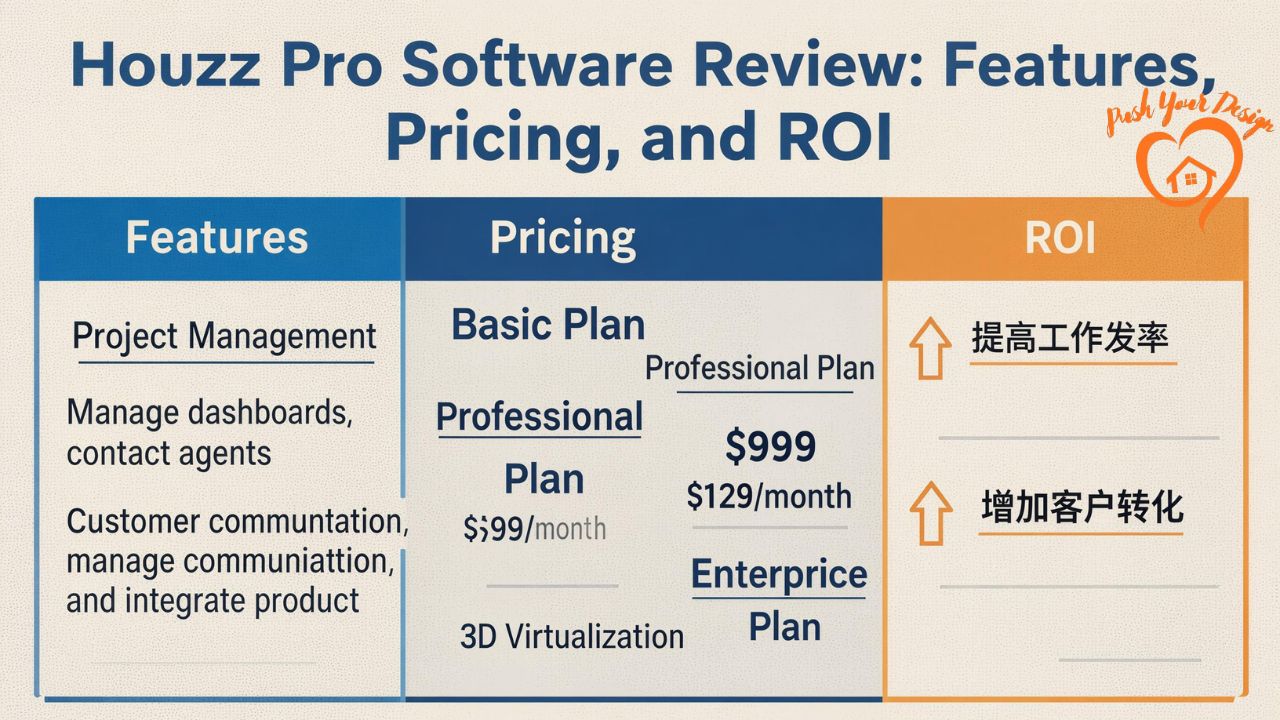
Houzz Pro pricing is subscription-based and varies depending on features and business size. While exact rates may change, plans generally fall into tiers.
What Influences Pricing
Costs depend on:
- Number of users
- Access to lead generation
- Advanced automation features
- Payment processing options
Although it’s not the cheapest solution on the market, pricing reflects its marketing plus management capabilities combined.
Is the Cost Justified?
For professionals who close even one additional project per month through the platform, ROI often outweighs the subscription cost. However, businesses not leveraging lead generation may feel the expense more sharply.
Pros, Cons, and Honest Limitations
No software is perfect, and houzz pro is no exception.
Strengths
- All-in-one business ecosystem
- Industry-specific workflows
- Professional client experience
- Integrated lead generation
Limitations
- Learning curve for new users
- Cost may be high for startups
- Limited customization compared to open CRMs
That said, most limitations stem from its structured approach, which is also what makes it effective.
Houzz Pro vs Other Contractor Software
Compared to generic tools like spreadsheets or basic CRMs, houzz pro offers vertical-specific advantages. When stacked against competitors like Buildertrend or CoConstruct, it stands out mainly through its built-in homeowner marketplace.
The trade-off is flexibility versus convenience. Houzz Pro favors convenience and speed, while others may offer deeper customization.
Who Should Use Houzz Pro (and Who Shouldn’t)
Houzz Pro is best suited for professionals who:
- Want consistent lead flow
- Value streamlined operations
- Aim to scale beyond solo workflows
It may not be ideal for:
- Hobby contractors
- Businesses operating on razor-thin margins
- Teams requiring heavy custom integrations
Personal Background, Company Journey, and Market Impact
Houzz began as a visual inspiration platform before expanding into professional services. Over time, the company recognized that connecting homeowners and professionals was only half the equation. Managing those relationships efficiently became the next challenge.
Houzz Pro emerged as a response to that gap, blending software with marketplace access. Financially, Houzz operates as a privately held company with venture backing, and its Pro platform represents a significant revenue driver within the broader ecosystem.
Its impact is visible in how many small businesses now rely on a single dashboard to run operations that once required multiple tools and manual coordination.
FAQ
Is houzz pro worth it for small contractors?
For small contractors handling multiple projects monthly, the platform often pays for itself through improved efficiency and lead conversion.
Does houzz pro replace accounting software?
It handles invoicing and payments well, but many businesses still integrate separate accounting tools for full financial reporting.
Can designers use houzz pro without buying leads?
Yes, the platform functions as a management tool even without marketplace lead purchases.
How long does onboarding take?
Most users become comfortable within one to two weeks, depending on feature usage.
Is houzz pro suitable for solo professionals?
It can be, especially for those planning to grow, though the cost may feel high initially.
Does houzz pro support mobile access?
Yes, mobile access allows messaging, scheduling, and updates on the go.
Can teams collaborate inside houzz pro?
Multiple users can collaborate, assign tasks, and share project updates in real time.
Conclusion
Houzz Pro isn’t just software—it’s an operational framework designed around how home professionals actually work. When used intentionally, it reduces friction, improves client experience, and creates space for growth instead of constant firefighting.
That said, its value depends entirely on how actively you use its features. For professionals ready to systemize their business and attract better clients, houzz pro can be a powerful ally rather than just another monthly expense.